
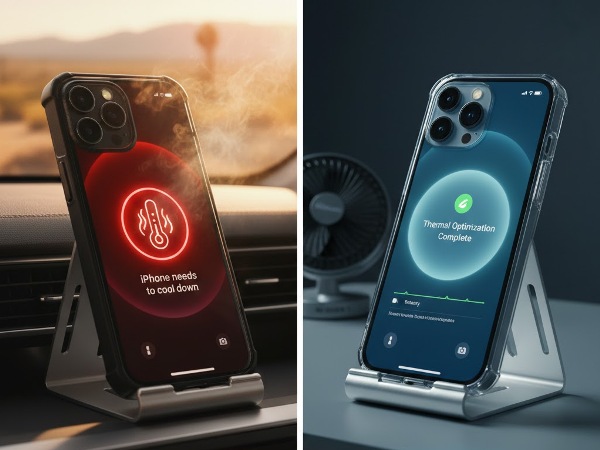
You’re scrolling through your feed, or perhaps capturing a 4K cinematic shot of a sunset over the Pacific, and suddenly, your iPhone 17 Pro Max feels less like a premium smartphone and more like a pocket-sized space heater. The screen dims, the camera lags, and you might even see the dreaded “iPhone needs to cool down” warning.
For iPhone owners in California—where a sunny day in San Diego or a long commute in the San Fernando Valley can push ambient temperatures to the limit—overheating isn’t just an annoyance. It’s a threat to your battery’s lifespan and your device’s performance.
The iPhone 17 Pro Max introduced a revolutionary Vapor Chamber cooling system, but even the best hardware can be overwhelmed by software glitches or environmental stress. In this guide, we’ll explore how to cool your device down and how to tell if that heat is a sign of a deeper hardware failure. See Keeping iPhone within operating temperatures.
Key Takeaways at a Glance
| Symptom | Probable Cause | Immediate Action |
| Warm during setup/update | Background Indexing (iOS 19/26) | Wait 48 hours; keep plugged in. |
| Hot while charging | Fast charging or non-MFi cable | Remove case; use a certified 20W+ charger. |
| Screen dimming/Lag | Thermal Throttling (Safety feature) | Close heavy apps; move to shade. |
| Hot while idle (not in use) | Rogue background app or “Liquid Glass” UI bug | Check Battery Usage in Settings. |
| Constant ” Warning” | Hardware: Short circuit or Thermal Paste failure | Seek professional hardware repair. |
1. Why the iPhone 17 Pro Max Gets Hot (The Science)
The iPhone 17 Pro Max is a powerhouse, featuring the A19 Pro chip. This chip handles billions of operations per second, especially with the new Apple Intelligence (AI) features. Heat is a natural byproduct of this power.
To manage this, Apple shifted from titanium back to a forged aluminum unibody and integrated a stainless steel vapor chamber. According to Wikipedia’s entry on Heat Pipes, these systems use deionized water to move heat away from the CPU 300% faster than older graphite sheets. However, if the heat cannot escape—due to a thick case or direct California sunlight—the system reaches “thermal saturation.”
2. 5 Software Fixes to Cool Your iPhone 17 Pro Max
Before you panic about a hardware defect, try these expert-recommended software optimizations:
1. Identify “Rogue” Apps
Go to Settings > Battery. Look for apps with high background activity. In early versions of iOS 26, certain social media and navigation apps have been known to “spike” power draw to 14W, causing rapid heating. Delete or update any app using more than its fair share of energy.
2. Manage “Background App Refresh”
If every app on your phone is updating its data at once, your CPU never gets to rest. Navigate to Settings > General > Background App Refresh and toggle it off for everything except your essential messaging apps.
3. The “Liquid Glass” Optimization
Recent reports on Reddit suggest that the new “Liquid Glass” UI elements in the latest iOS can be power-hungry. If your phone is hot while just swiping through menus, try enabling Low Power Mode or turning on Reduce Transparency in Accessibility settings to lower the GPU load.
4. Update Your Software (The iOS 26.2+ Fix)
Apple frequently releases “thermal patches.” If you are running an early version of the yearly software, go to Settings > General > Software Update. Apple recently introduced “hard power caps” for background tasks to prevent the iPhone 17 series from overheating during idle periods.
5. Reset All Settings
If a software glitch is “stuck,” a simple restart might not be enough. Go to Settings > General > Transfer or Reset iPhone > Reset > Reset All Settings. This won’t delete your photos, but it will clear out corrupted system preferences that might be keeping your processor in a “high-performance” state.
3. When is the Overheating a Hardware Problem?
While software causes 90% of heat issues, hardware failures do happen. You should seek professional help if:
- The Heat is Localized: If one specific spot on the back of the phone (usually near the camera or the charging port) gets scalding hot while the rest of the phone is cool, you likely have a shorted capacitor on the logic board.
- Overheating While Powered Off: If the phone stays warm even when it is completely shut down, the battery or a power management chip is failing. This is a fire hazard—discontinue use immediately.
- Hardware Warning Messages: If you see “Cellular Disabled” or “Flash Disabled” due to heat even in a cool room, your internal thermal sensors may be faulty.
4. California-Specific Tips for iPhone Heat Management
Living in the Golden State presents unique challenges for the iPhone 17 Pro Max’s aluminum frame:
- The “Car Dash” Trap: Even with a vapor chamber, leaving your phone in a car in the Coachella Valley for 10 minutes can reach 140°F, potentially melting internal adhesives.
- Beach Sand & Insulation: Taking your phone to the beach? If sand gets into the charging port or you bury the phone under a towel, you are blocking the aluminum frame’s ability to dissipate heat.
- MFi Chargers Matter: With the power demands of the 17 Pro Max, using a “gas station” charger can cause unstable voltage. Stick to Apple-certified (MFi) accessories to keep your battery health
5. Frequently Asked Questions (FAQ)
1. Is it normal for my iPhone 17 Pro Max to get hot during the first 48 hours?
Yes. During the initial setup, your iPhone is downloading gigabytes of iCloud data and “indexing” your photo library in the background. This is a high-CPU task and is completely normal.
2. Does the vapor chamber need to be refilled?
No. The vapor chamber is a vacuum-sealed stainless steel unit. It is designed to last the entire life of the phone without any maintenance. If it ever leaks, the entire thermal system will fail, requiring a logic board repair.
3. Can a 3rd-party case cause overheating?
Absolutely. Thick, rugged plastic cases act as an insulator. Because the iPhone 17 Pro Max uses its aluminum body to “exhaust” heat, a thick case can trap that heat inside. If gaming, try removing the case.
Conclusion: Keep Your Cool
Your iPhone 17 Pro Max is a technological marvel, but even the most advanced cooling systems need a little help from the user. By optimizing your software settings and being mindful of California’s high-heat environments, you can ensure your device stays fast and your battery stays healthy.
However, if your phone is consistently “burning” to the touch or showing hardware warnings, don’t wait for the battery to swell or the screen to fail.
Don’t let a heat issue turn into a permanent hardware failure. Make appointment for a professional thermal diagnostic and expert iPhone repair services.
 Phonebulance is your one-stop centerWant to get the most out of your iPhone? At Phonebulance, we’re your one-stop center for all things smartphone! Whether you’ve cracked your screen, dropped it in water, or it’s simply acting sluggish, our certified technicians can diagnose and fix a wide range of issues. Contact us today or make an online appointment to learn more about our services and keep your smartphone connected and functioning like new!Here is the list of our smartphone repair services:
- Apple iPhone
- Apple Watch
- Apple iPad
- Apple iPod
- Samsung Galaxy S Series
- Samsung Galaxy Note Series Samsung Galaxy Tab
- Google Pixel and Nexus
- OnePlus
- Other brands (LG, Motorola, HTC, Blackberry…)
Here is the list of our repair and fixing prices:
- iPhone LCD Screen Replacement
- iPhone Charging Port Replacement
- iPhone Battery Replacement (High Capacity)
- iPad screen replacement
- iPhone Back Camera Lens Replacement
- iPhone Rear Camera Repair
- iPhone Back Glass Repair Cost
Service Areas in Orange County South:

0 Comments