
Modern smartphones are marvels of engineering, packing more computing power into your pocket than the systems used to land humans on the moon. However, that sophistication comes with a price: fragility. When a screen cracks or a battery begins to fail, the temptation to save a few dollars by following a YouTube tutorial is strong. But is the risk worth the reward?
A single slipped screwdriver or a static discharge you can’t even see can turn a minor repair into a permanent “brick.” This guide explores the critical pitfalls of DIY fixes and why choosing a professional service is the safest investment for your digital life.
Key Takeaways at a Glance
| Mistake | Risk Level | Potential Consequence |
| Using Cheap Parts | High | Touch failure, ghost clicking, or fire hazards. |
| Wrong Toolset | Medium | Stripped screws and punctured batteries. |
| Static Discharge | Critical | Permanent motherboard (IC) damage. |
| Lost Screws | High | “Long Screw Damage” destroying the logic board. |
| Skipping Adhesive | Medium | Loss of water resistance and structural integrity. |
1. The Trap of “Cheap” Replacement Parts
The internet is flooded with “OEM-quality” parts at impossibly low prices. In reality, these are often third-party knockoffs that lack the rigorous testing of genuine components.
When you install a low-quality screen, you aren’t just getting a dimmer display. You are often dealing with:
- Poor Digitizer Response: Ever had a phone that “ghost touches” or skips your input? That is usually a hallmark of a cheap digitizer.
- Battery Volatility: Low-end lithium-ion batteries lack stable BMS (Battery Management Systems), which can lead to swelling or, in extreme cases, thermal runaway.
- Color Inaccuracy: Professional repairs ensure your photos and videos look the way they were intended, without the blue or yellow tints common in budget panels.
Learn more about the differences between LCD and OLED replacements.
2. Using the “Close Enough” Toolset
Most household toolkits are designed for furniture or basic electronics, not the microscopic precision of a smartphone. Using a standard Phillips #00 when a specialized Pentalobe or Tri-point Y000 is required is a recipe for disaster.
Stripped screws are the most common DIY injury. Once a screw head is rounded off inside a device, removing it often requires drilling—a high-stakes maneuver that can easily slip and slice through a ribbon cable. Professional technicians use torque-calibrated drivers to ensure every fastener is tightened to exact manufacturer specifications.
Infographic Idea: Anatomy of a Pro Repair
- Title: Professional vs. DIY: The Equipment Gap
- Data Points:
- ESD Protection: Technicians use grounded mats and wrist straps to prevent 20,000V static shocks.
- Micro-Screwdrivers: Specialized bits for Pentalobe, Torx, and Tri-wing fasteners.
- Heat Management: Digital heat guns to soften adhesives without melting plastic components.
- Magnification: Using digital microscopes to inspect solder joints and connectors.
- Adhesive Presses: Ensuring the phone is sealed to maintain water resistance.
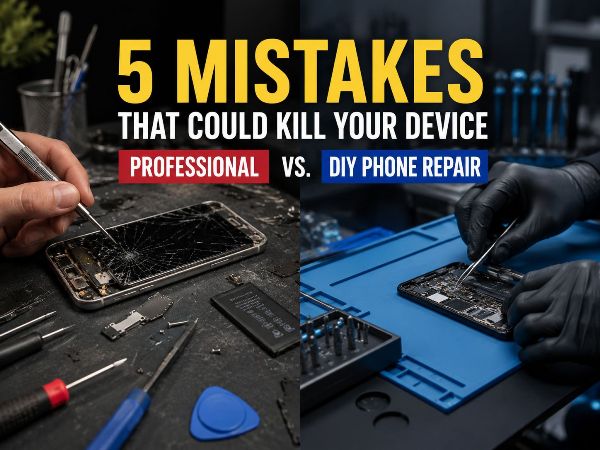
- Design Concept: A split-screen visual showing a “messy” kitchen table repair on one side and a clean, high-tech laboratory environment on the other.
3. The Invisible Killer: Electrostatic Discharge (ESD)
You know that little spark you feel when you touch a doorknob after walking on carpet? That is enough to destroy the delicate integrated circuits inside your phone.
Professional repair centers like Phonebulance operate in ESD-safe environments. This includes grounded floor mats, anti-static lab coats, and wrist straps. When you open a phone on a wooden table or a plastic surface, you are exposing the “brain” of your device to invisible electrical surges. You might finish the repair and find the phone works, only for it to start crashing or losing signal a week later due to latent ESD damage.
4. The “Long Screw” Nightmare
To the untrained eye, the dozens of screws inside a smartphone look identical. They are not. Some are $1.2mm$ long, while others are $1.3mm$.
If you accidentally put a $1.3mm$ screw into a hole designed for a $1.2mm$ screw, you will experience what technicians call “Long Screw Damage.” The screw will penetrate the protective layer of the logic board and sever the microscopic copper traces underneath. This often results in a “no-boot” scenario that requires expensive micro-soldering to fix—if it can be fixed at all.
5. Compromising the Water Seal
Most modern devices boast an IP68 rating for water and dust resistance. This protection relies on specialized gaskets and chemical adhesives.
When you pry open a phone, that seal is broken. DIY kits rarely provide the industrial-grade adhesive or the press-tools needed to re-establish that barrier. A professional repair doesn’t just swap the part; it restores the structural integrity of the device. Without this, a single drop of rain or a humid bathroom environment could lead to internal corrosion.
Why Phonebulance is the Smart Alternative
Choosing a professional service isn’t just about the fix; it’s about the warranty and peace of mind. When you trust experts, you aren’t just paying for a part; you are paying for:
- Diagnostic Certainty: Sometimes a “broken screen” is actually a failing display IC. We find the root cause.
- Post-Repair Testing: We run a multi-point checklist to ensure your cameras, speakers, and sensors are 100% functional before you leave.
- Speed: Most repairs are completed in under an hour, whereas waiting for DIY parts can take days.
According to a report by Consumer Reports on electronics repair, professional intervention significantly extends the lifecycle of mobile devices compared to failed DIY attempts.
Frequently Asked Questions
Q: Does DIY repair void my manufacturer warranty?
A: In many cases, yes. While “Right to Repair” laws are changing, many manufacturers still consider unauthorized opening of the device a breach of warranty terms.
Q: Is it ever okay to fix a phone myself?
A: If you are working on an old, non-primary device and want to learn, it can be a great hobby. However, for your “daily driver” that holds your banking, photos, and contacts, the risk is usually too high.
Q: How do I know if a repair shop uses high-quality parts?
A: Look for shops that offer a comprehensive warranty (like 90 days or 1 year). Shops that stand behind their work generally use parts they know won’t fail.
Conclusion
Your smartphone is more than just a piece of plastic and glass; it is your connection to the world. While the DIY route seems like a way to save money, the hidden risks—from “long screw damage” to ESD—often result in a total loss of the device.
Don’t let a minor crack become a major catastrophe. Trust the precision, tools, and expertise of a dedicated repair center to keep your tech running like new.
Ready to get your device back in peak condition?
Contact Phonebulance today for a free diagnostic and professional repair you can trust!
 Phonebulance is your one-stop centerWant to get the most out of your iPhone? At Phonebulance, we’re your one-stop center for all things smartphone! Whether you’ve cracked your screen, dropped it in water, or it’s simply acting sluggish, our certified technicians can diagnose and fix a wide range of issues. Contact us today or make an online appointment to learn more about our services and keep your smartphone connected and functioning like new!Here is the list of our smartphone repair services:
- Apple iPhone
- Apple Watch
- Apple iPad
- Apple iPod
- Samsung Galaxy S Series
- Samsung Galaxy Note Series Samsung Galaxy Tab
- Google Pixel and Nexus
- OnePlus
- Other brands (LG, Motorola, HTC, Blackberry…)
Here is the list of our repair and fixing prices:
- iPhone LCD Screen Replacement
- iPhone Charging Port Replacement
- iPhone Battery Replacement (High Capacity)
- iPad screen replacement
- iPhone Back Camera Lens Replacement
- iPhone Rear Camera Repair
- iPhone Back Glass Repair Cost
Service Areas in Orange County South:
0 Comments