
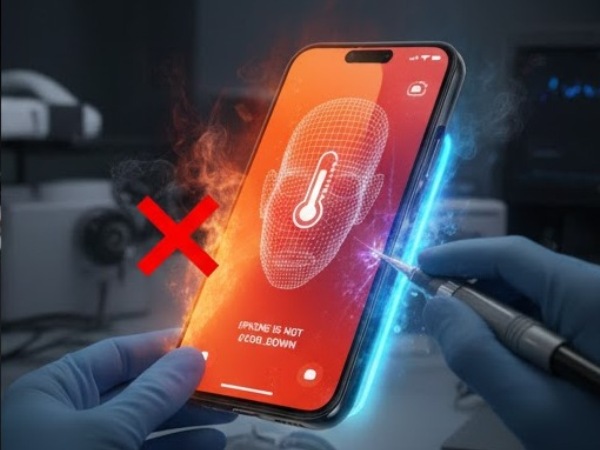
Face ID Not Working? Why Your iPhone 15/16/17 Sensors Fail and How We Fix Them
It happens in a split second. You lift your iPhone to check a notification, but instead of the familiar padlock icon swinging open, you’re met with a vibrating screen and a prompt for your passcode. You try again, cleaning the “Dynamic Island” area, but the message appears: “Face ID Is Not Available” or “A Problem Was Detected With The TrueDepth Camera.”
For iPhone 15, 16, and 17 owners in California—where we rely on our phones for everything from Apple Pay at the local grocer to accessing secure work apps in Silicon Valley—a Face ID failure is more than a minor annoyance. It is a major security and convenience bottleneck.
The good news is that the “unfixable” reputation of Face ID is officially a thing of the past. With the latest advancements in iOS 26 and specialized microsoldering techniques, almost any Face ID sensor failure can now be repaired without losing your data or replacing your entire phone.
Key Takeaways at a Glance
| Symptom | Primary Cause | Repair Solution |
| “Face ID Not Available” | Dot Projector or Flood Illuminator failure | Component-level microsoldering |
| Camera Works, Face ID Fails | TrueDepth sensor misalignment or IR damage | Prism realignment & calibration |
| Fails After Screen Repair | Non-genuine parts or improper transfer | GSX Calibration / Sensor transplant |
| “Move iPhone Lower/Higher” | Cracked Dot Projector prism | Prism replacement & epoxy bonding |
| Liquid Damage Signs | Corrosion on the ear speaker flex cable | Ultrasonic cleaning & flex replacement |
1. The Anatomy of the TrueDepth Camera System
To understand why Face ID fails, you have to understand that it isn’t just one camera. It is a sophisticated suite of three main components working in perfect synchronization:
- The Flood Illuminator: Hits your face with a burst of infrared light so the system can see you in total darkness.
- The Dot Projector: Beams over 30,000 invisible dots onto your face to create a 3D topographic map.
- The Infrared Camera: Reads the dot pattern and compares it to the “mathematical model” stored in your device’s Secure Enclave.
According to Wikipedia’s entry on Face ID, these components are cryptographically “paired” to your iPhone’s logic board. If you simply swap them from another phone, the security system will reject them, and Face ID will stay disabled.
2. Why Do Face ID Sensors Fail on Newer iPhones?
Even with the improved durability of the iPhone 16 and 17 series, certain environmental factors in California remain the primary culprits for sensor failure.
Micro-Drops and Physical Shock
You don’t need a cracked screen to break Face ID. The Dot Projector contains a tiny glass prism that can shift or shatter upon impact. If that prism moves even a fraction of a millimeter, the 3D map of your face becomes distorted, and the phone will refuse to unlock.
The “Silent Killer”: Liquid Ingress
Even “water-resistant” iPhones have a weakness: the ear speaker mesh. A light drizzle in San Francisco or steam from a bathroom in San Diego can seep through the mesh and land directly on the Flood Illuminator flex cable. This causes a tiny short circuit that “blows” a fuse inside the sensor.
Software Glitches & iOS Updates
Occasionally, an update to iOS 26 can cause a handshake error between the CPU and the TrueDepth sensors. While rare, these “Unable to Activate” messages can sometimes be resolved with a deep software restore—though hardware damage is more common.
Infographic Idea: The Face ID Failure Hierarchy
Infographic Concept: A “Diagnostic Tree” that helps users identify if their issue is software or hardware.
- Level 1: The Basics – Check for smudges, remove screen protectors, and check for “Attention Aware” settings.
- Level 2: The Software Test – Try an “Alternate Appearance” setup. If it fails to even start the scan, it’s hardware.
- Level 3: The Hardware Components – Highlighting the Dot Projector (Depth), Flood Illuminator (Light), and IR Camera (Reading).
- Level 4: The California Factor – Icons representing heat stress, salt-air corrosion, and drop damage.
Design Concept: Clean, Apple-esque aesthetic with neon blue accents to represent infrared technology.
3. The “New” Way We Fix Face ID in 2026
In the past, if your Face ID broke, Apple’s only solution was a “Whole Unit Replacement,” costing upwards of $600. Today, third-party specialists have cracked the code.
Microsoldering & IC Transfers
Using high-powered microscopes, technicians can now desolder the original, “paired” security chip from a broken flex cable and move it to a brand-new, high-quality cable. This preserves the cryptographic link to your logic board while replacing the physical parts that actually broke.
Apple’s New Self-Service Calibration
Starting with the iPhone 16 and 17, Apple has loosened some “parts pairing” restrictions. Independent shops can now use official Apple Diagnostics to calibrate replacement Face ID modules, provided the parts are genuine and the technician has the right software credentials.
4. DIY Fixes to Try Before Seeking Professional Help
Before you assume the worst, try these steps at home:
- The “Micro-Fiber” Wipe: Oils from your skin can smudge the infrared camera, making it “blind.” Use a clean cloth and wipe the top of the screen vigorously.
- Remove the Screen Protector: High-privacy or cheap tempered glass protectors often block the infrared light spectrum.
- Reset Face ID: Go to Settings > Face ID & Passcode > Reset Face ID. If it allows you to start the circle scan but fails halfway, it is a hardware alignment issue.
- Toggle “Require Attention”: If you have recently had eye surgery or wear heavy sunglasses, toggling “Require Attention for Face ID” may temporarily solve the issue.
5. Why Choose Professional Repair in Orange County?
California residents are often told by the Genius Bar that Face ID is “unfixable” without a full phone replacement. This is simply not true. At specialized centers like Phonebulance, we use JC V1S Pro programmers and precision laser alignment tools to restore your original sensors to factory specifications.
Whether you’re dealing with a “fused” dot projector or a corroded proximity sensor, component-level repair saves you hundreds of dollars and keeps your original data intact.
6. Frequently Asked Questions (FAQ)
1. Can I still use my phone if Face ID isn’t working?
Yes. Your iPhone will fall back to using your passcode. However, you will lose the ability to use “Attention Aware” features, and Apple Pay will require a manual code every time, which can be a security risk in public.
2. Does a screen replacement break Face ID?
Not if it’s done correctly. If you use a reputable shop, they will carefully transfer your original Face ID sensors to the new screen. Face ID only breaks during screen repair if a technician is careless or uses a low-quality “all-in-one” assembly that doesn’t allow for sensor transfer.
3. Will I lose my photos if I get my Face ID repaired?
No. Unlike Apple’s “Whole Unit Replacement” which gives you a blank phone, a component-level repair at a specialist shop like Phonebulance involves fixing the hardware while your data stays exactly where it is.
Conclusion: Get Your Face ID Back Today
Don’t settle for typing in your passcode 100 times a day. Your iPhone 15, 16, or 17 was designed for the seamless experience of facial recognition, and a broken sensor shouldn’t stand in your way. Whether it’s a drop, a splash, or a mysterious “Face ID is not available” message, there is a technical solution that doesn’t involve buying a new device.
If you’re in the Orange County or wider California area, let the experts handle the microscopic work for you.
Is your Face ID giving you trouble? Make appointment now to book an on-site repair and restore your iPhone to full functionality in under an hour!
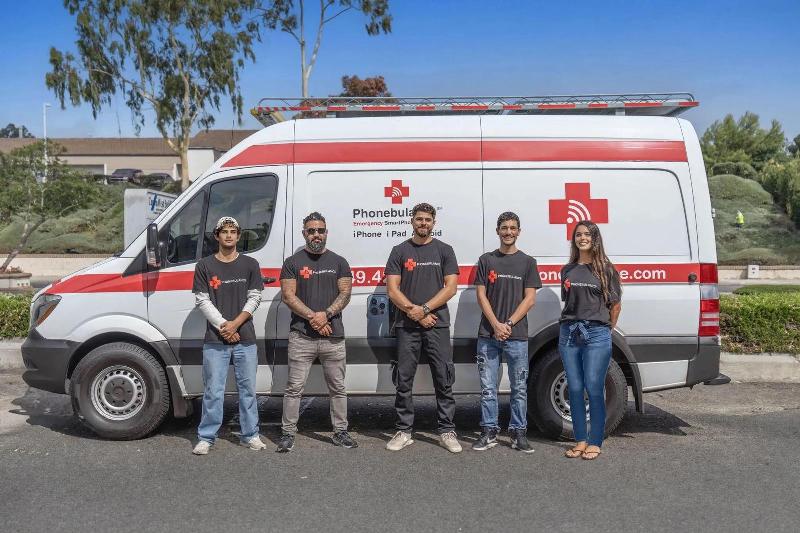 Phonebulance is your one-stop centerWant to get the most out of your iPhone? At Phonebulance, we’re your one-stop center for all things smartphone! Whether you’ve cracked your screen, dropped it in water, or it’s simply acting sluggish, our certified technicians can diagnose and fix a wide range of issues. Contact us today or make an online appointment to learn more about our services and keep your smartphone connected and functioning like new!Here is the list of our smartphone repair services:
- Apple iPhone
- Apple Watch
- Apple iPad
- Apple iPod
- Samsung Galaxy S Series
- Samsung Galaxy Note Series Samsung Galaxy Tab
- Google Pixel and Nexus
- OnePlus
- Other brands (LG, Motorola, HTC, Blackberry…)
Here is the list of our repair and fixing prices:
- iPhone LCD Screen Replacement
- iPhone Charging Port Replacement
- iPhone Battery Replacement (High Capacity)
- iPad screen replacement
- iPhone Back Camera Lens Replacement
- iPhone Rear Camera Repair
- iPhone Back Glass Repair Cost
Service Areas in Orange County South:
0 Comments