
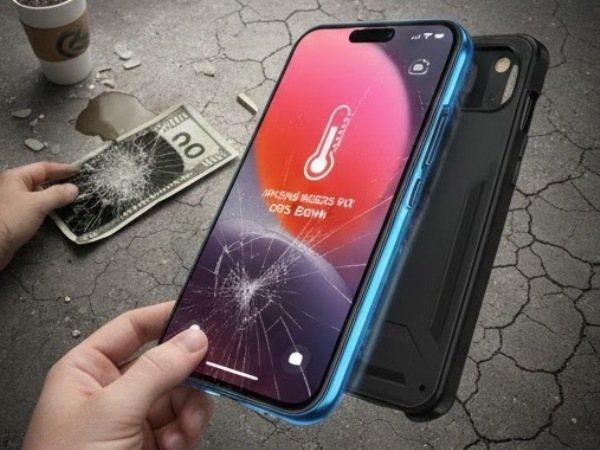
It’s a sound every smartphone owner dreads: the sharp crack of glass meeting pavement. You pick up your device, hoping for the best, only to find a spiderweb of fractures across your display. In 2026, with the rise of LTPO OLED panels and high-refresh-rate displays in the iPhone 17 and Samsung S26 series, a screen replacement can easily cost between $250 and $450 at official repair centers.
Whether you live in the tech-heavy corridors of Northern California or the sun-drenched coast of SoCal, your phone is likely your most valuable daily tool. But here is the truth: most screen “fatalities” aren’t caused by one-off accidents; they are the result of neglected maintenance and poor habits that weaken the glass over time.
This guide provides a definitive maintenance checklist to help you bulletproof your device and keep that $400 in your pocket.
Key Takeaways at a Glance
| Maintenance Task | Frequency | Why It Saves You Money |
| Micro-Cleaning | Weekly | Removes abrasive grit that causes micro-scratches and glass fatigue. |
| Heat Management | Daily | Prevents adhesive “lifting” and internal OLED burn-in or failure. |
| Protector Swap | Every 6 Months | Replaces “brittle” tempered glass that has lost its shock-absorption. |
| Port Inspection | Monthly | Prevents “charging-cable tugging” which leads to screen-damaging drops. |
| Case “Lip” Check | Quarterly | Ensures the protective edge hasn’t worn down, exposing the glass. |
1. The Hidden Physics of Screen Failure
Most people think a screen breaks because of one bad fall. In reality, it’s often “Glass Fatigue.” Over months of use, tiny micro-scratches from keys, sand, and pocket lint create “stress points.” When you finally do drop your phone, the crack follows these pre-existing paths of least resistance.
According to Wikipedia’s entry on Stress Corrosion Cracking, environmental factors and constant surface tension can cause materials like glass to fail at much lower force levels than intended. By maintaining the surface integrity of your screen, you are effectively “strengthening” it against future impacts.
2. Your Monthly Maintenance Checklist
To avoid the repair shop, follow these five essential steps to keep your smartphone in “factory-tough” condition.
Step 1: The “Grit Removal” Wipe
Standard paper towels are abrasive. Use only a clean microfiber cloth. Once a week, use a specialized screen cleaner (avoid ammonia-based glass cleaners) to dissolve the oils that attract dust and grit. This prevents the micro-abrasions that lead to deep cracks.
Step 2: The Tempered Glass “Integrity Test”
If your screen protector has a tiny chip in the corner, replace it immediately. A chipped protector no longer distributes force evenly. In a fall, that chip becomes the entry point for a shockwave that will shatter the actual display underneath.
Step 3: Inspect Your Case “Bezels”
California heat can cause silicone and TPU cases to “stretch” over time. If your case no longer has a 1.5mm “lip” over the screen, it won’t protect the glass when dropped face-down. If your case feels loose, it’s time for a $30 upgrade to avoid a $400 repair.
Step 4: Manage Your Thermal Exposure
High temperatures degrade the optically clear adhesive (OCA) that bonds your screen to the frame. Never leave your phone on a car dashboard or in direct sunlight while at the beach. If the adhesive weakens, the screen can “delaminate,” making it much more susceptible to shattering.
3. Habits That Are Quietly Killing Your Screen
Maintaining the hardware is only half the battle. Your daily habits in the “Golden State” play a massive role:
- The Back-Pocket Habit: Sitting on your phone, even on a soft couch, puts “torsional stress” on the frame. Modern 6.7-inch phones can slightly bend, putting the glass under constant tension. One small bump while under tension equals a shattered display.
- The “Key-Pocket” Conflict: Even Gorilla Glass Victus 3 can be scratched by the quartz found in common dirt or the hardened steel of house keys. Always dedicate one pocket strictly to your phone.
- Using “Dead” Cables: If you have to wiggle your charging cable to get a connection, you are risking a “snag drop.” This occurs when the cable gets caught on an object, and because the connection is tight/failing, it yanks the phone off the table.
4. Why Professional “Tune-Ups” Matter
In California, we often take our cars in for oil changes, but we ignore our $1,200 smartphones until they break. A professional diagnostic at a shop like Phonebulance and Melex365 can catch “swelling batteries”—a common issue in hot climates—before they push against the display from the inside, causing the glass to crack without any impact at all.
5. Frequently Asked Questions (FAQ)
1. Are “Liquid” screen protectors actually effective?
Liquid glass (SiO2) coatings are excellent for preventing scratches, but they offer almost zero impact protection. For drop protection, a physical layer of tempered glass is still the gold standard in 2026.
2. Can I fix a small “hairline” crack myself?
No. Using “glue kits” or DIY resins often seeps into the backlight or OLED layers, turning a $200 glass repair into a $400 full-display replacement. If you see a crack, put a piece of clear packing tape over it to prevent moisture ingress and book a repair immediately.
3. Does “Water Resistance” protect my screen?
Water resistance (IP68) protects the internal motherboard, but “hard water” or salt water from the California coast can corrode the edges of your screen assembly, leading to “ghost touching” or total display blackout.
Conclusion: Prevention is Cheaper than Repair
The difference between a phone that lasts four years and one that breaks in four months is rarely luck—it’s maintenance. By following this checklist—cleaning your device, managing its temperature, and using high-quality protective gear—you can significantly lower the “structural fatigue” of your screen.
If you’ve already noticed a slight “lift” in your screen or your touch response feels sluggish, don’t wait for the inevitable shatter.
Is your phone showing signs of wear and tear? Make Appointment today for a 15-minute “Safety Check” and ensure your device survives the year without a costly accident!
 Phonebulance is your one-stop centerWant to get the most out of your iPhone? At Phonebulance, we’re your one-stop center for all things smartphone! Whether you’ve cracked your screen, dropped it in water, or it’s simply acting sluggish, our certified technicians can diagnose and fix a wide range of issues. Contact us today or make an online appointment to learn more about our services and keep your smartphone connected and functioning like new!Here is the list of our smartphone repair services:
- Apple iPhone
- Apple Watch
- Apple iPad
- Apple iPod
- Samsung Galaxy S Series
- Samsung Galaxy Note Series Samsung Galaxy Tab
- Google Pixel and Nexus
- OnePlus
- Other brands (LG, Motorola, HTC, Blackberry…)
Here is the list of our repair and fixing prices:
- iPhone LCD Screen Replacement
- iPhone Charging Port Replacement
- iPhone Battery Replacement (High Capacity)
- iPad screen replacement
- iPhone Back Camera Lens Replacement
- iPhone Rear Camera Repair
- iPhone Back Glass Repair Cost
Service Areas in Orange County South:
0 Comments