
Samsung Galaxy Note Series Repair in Orange County 2025

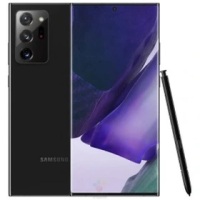
Welcome to Phonebulance, your premier destination for Samsung Galaxy Note Series repair solutions. We understand the significance of your Samsung Galaxy Note device, and we’re dedicated to providing exceptional repair services to ensure it continues to meet your needs.
Our team of experienced technicians specializes in a comprehensive array of repair services for the Samsung Galaxy Note Series, including:
1. Cracked Screen Repair: Accidentally cracked your Samsung Galaxy Note’s screen? Our skilled technicians can swiftly replace the damaged screen with a high-quality replacement, restoring the device’s visual appeal and functionality.
2. Battery Replacement: Is your Samsung Galaxy Note experiencing battery issues, such as quick drainage or failure to hold a charge? Our battery replacement service will rejuvenate your device, offering improved battery life and uninterrupted usage.
3. Cracked Back Glass Repair: If your Samsung Galaxy Note’s back glass is cracked or damaged, our experts can efficiently replace it, restoring the device’s integrity and aesthetic appeal.
4. Charging Port Replacement: Struggling to charge your Samsung Galaxy Note due to a faulty charging port? Our technicians can replace the charging port promptly, ensuring seamless charging functionality.
5. Camera Lens Replacement: Whether it’s the rear or front camera lens that’s damaged, we can replace it with precision and care, allowing you to capture clear and crisp photos and videos once again.
6. Water Damage Repair: Accidentally exposed your Samsung Galaxy Note to water? Act quickly and bring it to us for water damage repair. Our technicians will thoroughly assess and repair any water-related issues, preventing further damage and restoring your device’s performance.
7. Device Not Powering On: If your Samsung Galaxy Note fails to power on, there could be various underlying issues. Our experts will diagnose the problem and provide the necessary repairs to restore your device’s functionality.
At Phonebulance, we prioritize customer satisfaction, quality craftsmanship, and efficiency. We utilize genuine Samsung parts and advanced repair techniques to ensure optimal performance and longevity for your Samsung Galaxy Note device.
Don’t let a damaged Samsung Galaxy Note hinder your productivity or enjoyment. Contact us today to schedule your Samsung Galaxy Note Series repair service and let us help you get your device back to its optimal state.
Models We Repair
- Galaxy Note 20 Ultra 5G, Galaxy Note 20 5G
- Galaxy Note 10+, Galaxy Note 10
- Galaxy Note 9
- Galaxy Note 8.0 N5110, Galaxy Note 8
- Galaxy Note 5
- Galaxy Note 4
- Galaxy Note 3
- Galaxy Note 2
- Galaxy Note
Related Articles
Samsung Galaxy S25 Ultra vs. S26 Rumors : Is It Time to Repair Your Current Phone or Upgrade?
If you are holding a Samsung Galaxy S25 Ultra—or perhaps an aging S23 or S24—you’ve likely felt the "upgrade itch." With the Galaxy Unpacked 2026 event confirmed for February 25, the air is thick with rumors about the upcoming S26 series. For the dedicated Samsung...
Best Samsung Gaming Phones in 2026: Ranked by Performance & Cooling.
Why Samsung is Dominating Mobile Gaming in 2026 While dedicated "gaming phones" exist, Samsung’s Galaxy lineup has become the gold standard for mobile esports. With the introduction of the Snapdragon 8 Gen 4 (for Galaxy) and improved Vapor Chamber cooling systems,...
3 DIY Smartphone Fixes That Cost $700 (Not $99 Repair)
You cracked your phone screen. It happens to the best of us—especially here in California, where a minute of distraction while checking the map or snapping a photo can send your phone tumbling onto concrete. Your first thought? "That'll be at least $200." Your second...
Troubleshooting Common Samsung Galaxy Problems
Is your trusty Samsung Galaxy, once a pinnacle of speed and reliability, suddenly acting up? You're not alone. From frustratingly fast battery drain to a camera that refuses to launch, experiencing common Samsung Galaxy problems can bring your day to a grinding halt....